If you play music on a PC or Mac and want to control it from your phone, three options stand out: Unified Remote, KDE Connect, and RemoTune.
All three can handle remote media controls, but they are built around very different jobs:
- Unified Remote: a general-purpose remote for controlling your computer
- KDE Connect: a device-integration toolkit for linking your computer and phone
- RemoTune: a dedicated remote built around music and media playback
That difference shows up clearly in both the feature set and the interface.
At a glance
| Unified Remote | KDE Connect | RemoTune | |
|---|---|---|---|
| App screen | 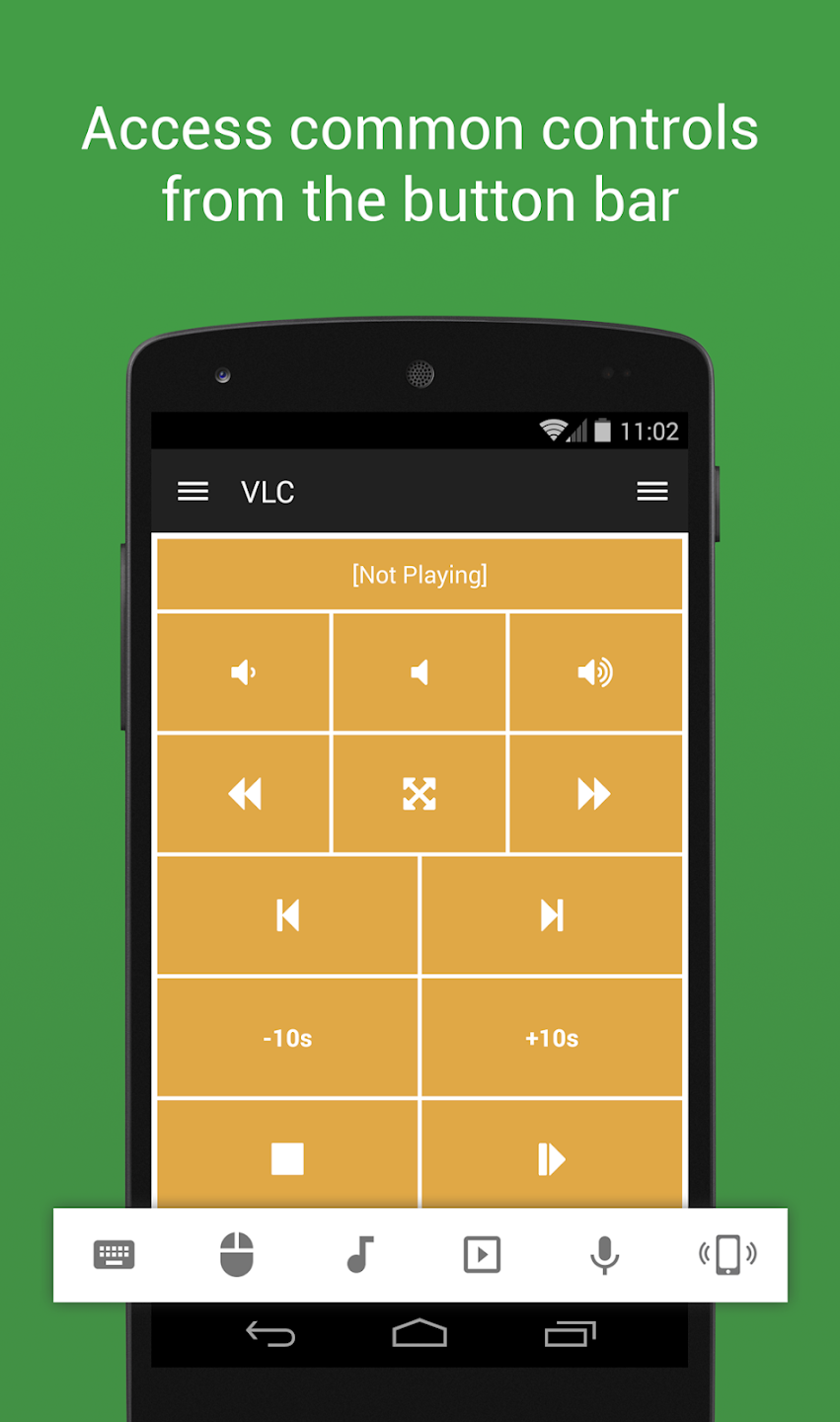 |
 |
 |
| Primary purpose | Full PC remote control | PC ↔ phone integration | Desktop media control |
| App structure | Choose from multiple remotes | Choose from multiple device features | Now Playing first |
| Connection options | Wi-Fi · Bluetooth* | Wi-Fi | Wi-Fi · Bluetooth · QR |
| Media controls | Supported | Supported | Core feature |
| Track info & artwork | Varies by remote | Supported | Core interface |
| Seeking / scrub control | Varies by remote | Varies by player | Supported |
| System volume & mute | Supported | Supported | Supported |
| Desktop platforms | Windows · macOS · Linux and more | Windows · macOS · Linux | Windows · macOS |
| Mobile platforms | Android · iPhone/iPad | Android · iPhone/iPad | Android · iPhone |
| Pricing | Free + Full | Free · Open source | Free + Pro |
| UI focus | General remote controls | Device features | Media-player experience |
* Bluetooth support in Unified Remote is available on Windows.
Unified Remote: the general-purpose option
Unified Remote has the broadest feature set of the three.
It supports more than 100 programs and can control the mouse, keyboard, power options, screen, files, presentations, media, and more. The free version also includes 18 basic remotes.
That breadth is its biggest strength.
The trade-off is that the app can feel oversized if media control is all you need. You choose from multiple remotes and control layouts, while the basic Media Remote is centered on standard system media keys such as play/pause, previous/next, and volume.
It is a good fit when you want your phone to act as a remote for the whole computer.
KDE Connect: more device integration than remote control
KDE Connect is closer to a device-integration platform than a dedicated remote-control app.
It combines file and link sharing, notification syncing, clipboard sharing, remote commands, presentation controls, a virtual trackpad, and media controls. It is also free and open source.
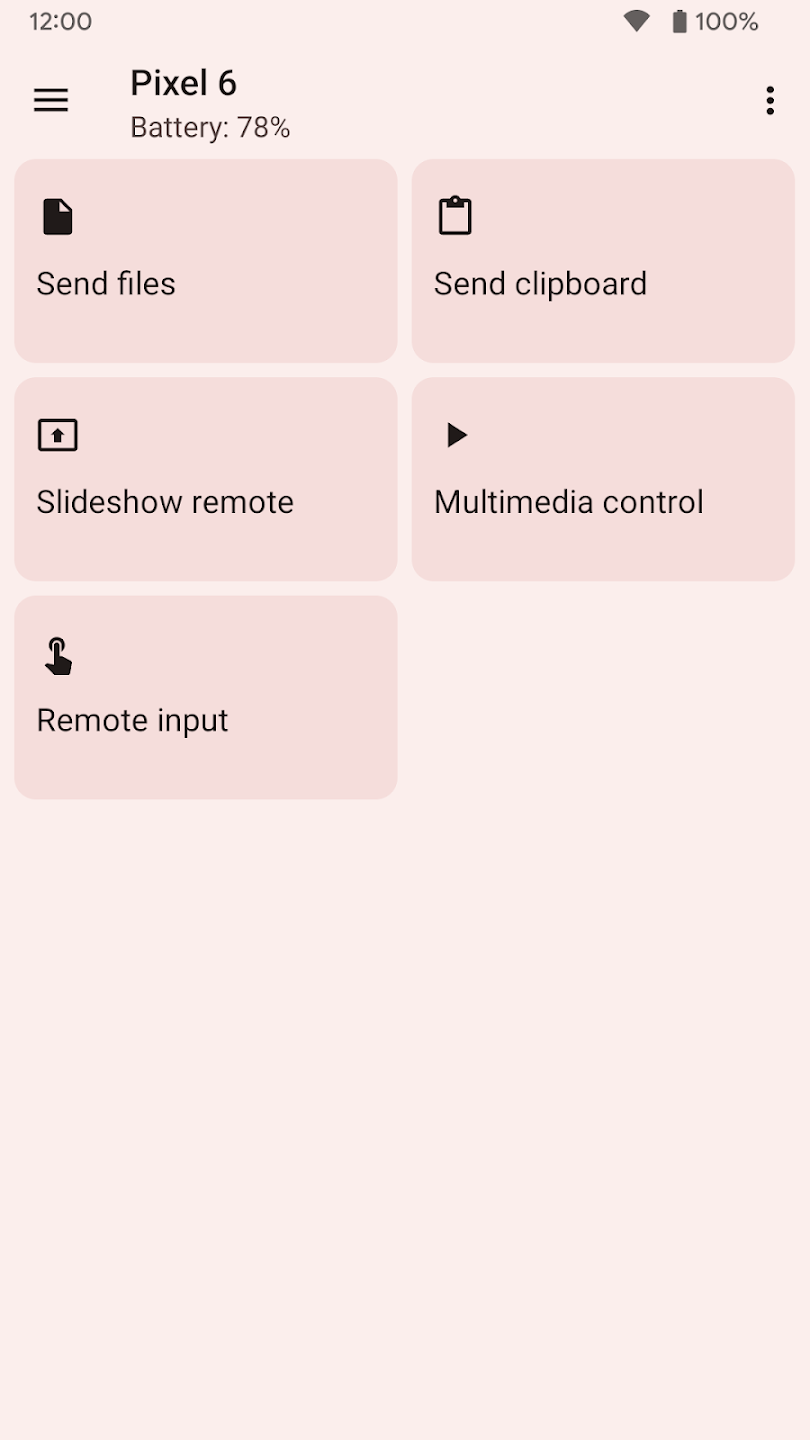
Media control, however, is only one part of KDE Connect. Its interface is primarily organized around the connected device and the features available for that device, rather than around a dedicated media-player experience.
That makes it highly useful if you also want file sharing, notifications, and clipboard integration, but it can feel more involved if your only goal is controlling music.
RemoTune: built specifically for media control
RemoTune is focused on one job: showing what is currently playing on your PC or Mac and letting you control it from your phone.
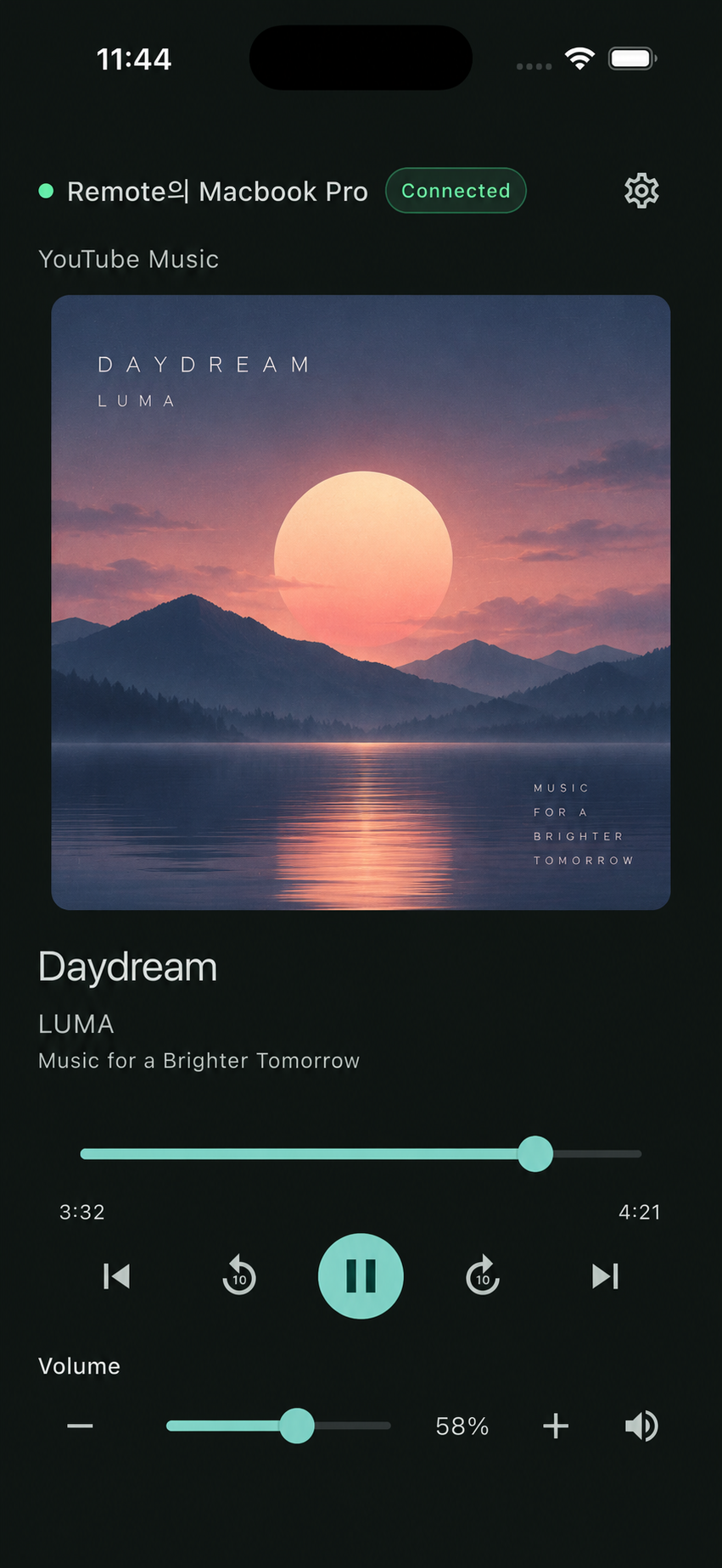
Playback, pause, previous/next, seeking, system volume, and mute are all part of the main experience. Track title, artist, album artwork, and playback position are visible on the same screen.
The interface reflects that focus.
Instead of choosing between different remotes or device functions, Now Playing is the main screen. The layout follows the conventions of a modern music player, so there is very little to learn before using it.
RemoTune supports Wi-Fi, Bluetooth, and QR pairing. It can discover computers automatically on the local network, while QR pairing provides a direct alternative. No separate account is required.
Bottom line
Choose Unified Remote if you want broad remote control over your whole PC. Choose KDE Connect if you also want file sharing, notifications, clipboard syncing, and other cross-device features.
But if what you want is simply:
“Control the music playing on my PC or Mac from my phone.”
RemoTune has a clear advantage in focus.
Rather than adding more unrelated features, it is designed around fewer steps, a cleaner interface, and a media-first remote-control experience.