Remote control for media on Windows and macOS
ControlYouTube Music, Apple Music and moreon your desktop, from your mobile.
Works with Spotify, browsers and desktop players too.
Pause, skip and change the volume from across the room.
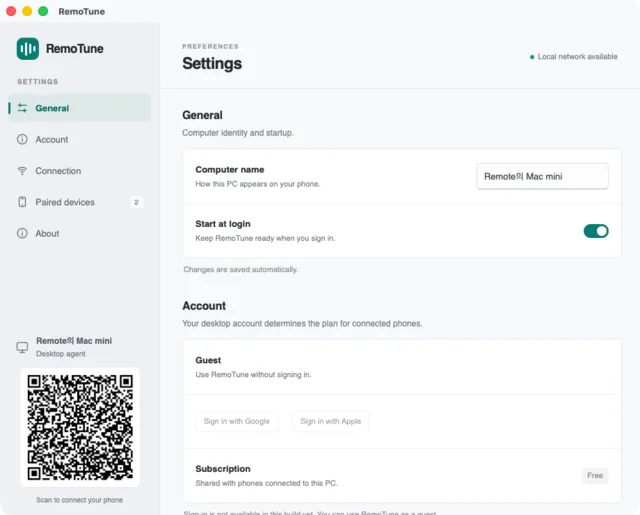
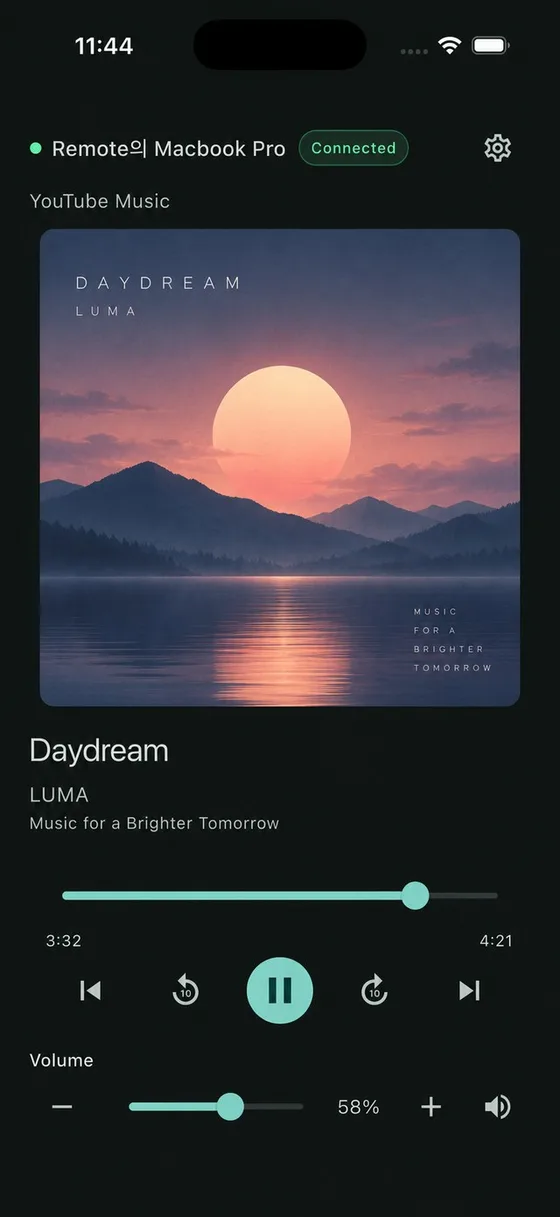
- The movie is too loud and the laptop driving the speakers is on the other side of the room.
- A song you always skip comes on while you are cooking, and your hands are busy.
- You are already in bed and the PC is still playing. Turning it off means getting up.
Each of those is one tap on your mobile with RemoTune.
What you control
Control what’s playing.
Playback and volume controls for your PC or Mac, right on your phone.
Play and pause
The big button in the middle. The title, artist and artwork show you what you are about to pause.
Previous and next
Skip tracks or videos. Controls the player does not allow are greyed out.
±10 seconds and seek
Jump back or forward, or drag the progress bar when the player reports its length.
System volume and mute
This is the PC's own output volume, so it works for speakers and headphones alike. On Android the mobile's volume buttons do it too.
Finds your PC by itself
Computers running RemoTune show up on the mobile automatically. A QR code and manual address are there as fallbacks.
You approve each mobile
A mobile connects only after you allow it on the PC. Approved phones reconnect on their own next time.
Connecting
Your PC shows up by itself. Tap it, allow it once, done.
There is nothing to type and no account to make. The first connection takes about a minute, and every one after that happens on its own.
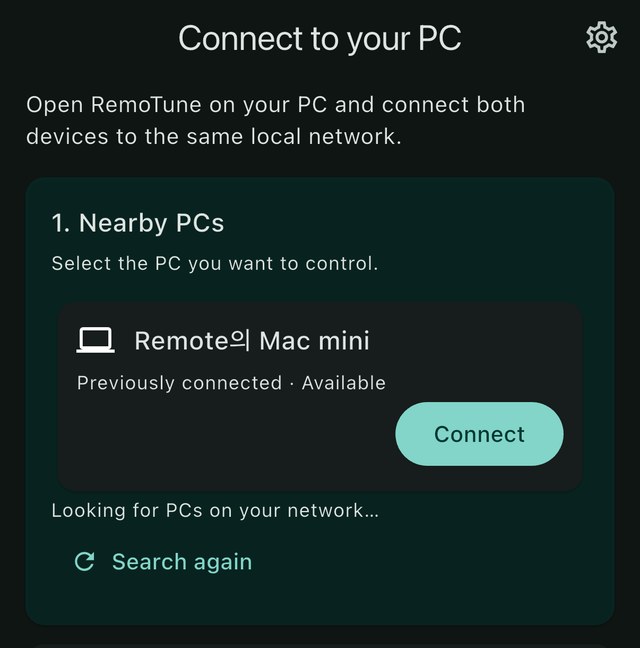
Tap your PC in the list
Open the app and computers running RemoTune on your Wi‑Fi are already listed. Tap the one you want.
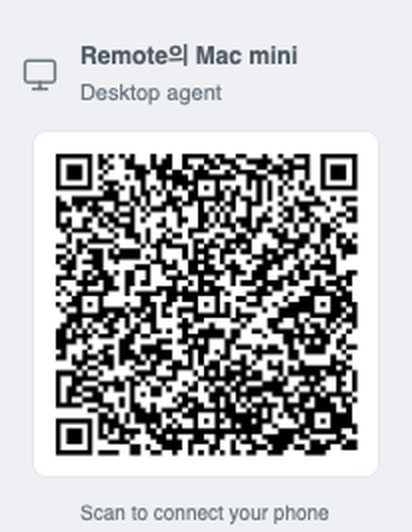
Or scan the code on the PC
If the list is empty, point the app's scanner at the QR code in the desktop settings. Typing the address works too.
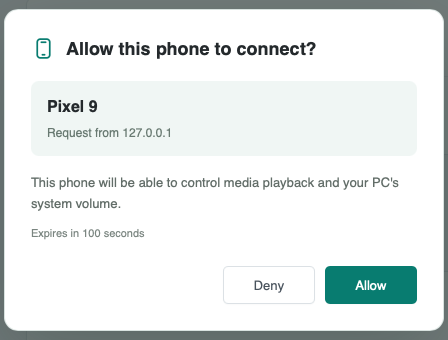
Allow it on the PC, once
The computer shows which mobile is asking. Click Allow and the remote appears on the mobile right away.
From then on the app opens straight to the controls whenever it sees that computer again. No re-pairing, no password. You can remove a mobile at any time from the desktop's paired devices list.
Pricing
Free
- All playback and volume controls
- Automatic discovery, QR and manual connection
- No account required
Questions
The short answers.
What is RemoTune?
RemoTune turns your phone into a remote for whatever is playing on your PC or Mac — perfect for when you are on the couch, already in bed, or just across the room. It works with any player, whether that is YouTube Music, Spotify or something else entirely.
Do I need to enter my music account password?
No, never. RemoTune does not sign in to your music service or intercept your streaming data — it only relays the media controls your PC or Mac already exposes. There is no account or password for it to see, so there is nothing to compromise.
Does the music play out of my phone?
No. Sound keeps coming out of your PC or Mac, or whatever speakers and headphones are connected to it. Your phone is just the remote — it handles play, pause, skip and volume, nothing more.
Which music services are supported?
Almost anything playing on your PC or Mac works, from YouTube Music, Spotify, Apple Music and SoundCloud to regional services and anything playing in a browser tab or desktop app. Exactly which controls are available can vary a little, since that depends on the media controls each player exposes to the OS.
Can an iPhone control a Windows PC, or an Android phone control a Mac?
Yes, every combination works. RemoTune connects across operating systems in both directions, so it does not matter whether your computer runs Windows or macOS, or your phone runs iOS or Android — including Android paired with a Mac, a combination that has not had an official remote before.
Does it work if my phone and computer are on different Wi-Fi networks?
No. For a reliable connection, your phone and computer need to be on the same local network — the same Wi-Fi, typically through one router at home or at the office.
The connection keeps failing or dropping. What should I check?
Start by confirming your phone and computer are on the same Wi-Fi, then check that your PC or Mac's firewall allows RemoTune's network access. If that does not fix it, your router's settings may be isolating devices from each other (sometimes called AP isolation), which is worth checking too. See the Docs page for more detailed troubleshooting.
Download
One on the computer, one on the mobile.
Public builds are being prepared. Each platform below will link to its installer or store page as soon as it is available.