You can control Apple Music playing on a Mac from an iPhone, but not from an Android phone.
Apple provides iTunes Remote for iPhone, but there is no Android version.
With RemoTune, you can use your Android phone to control Apple Music playing on your Mac.
Control Apple Music with RemoTune
RemoTune lets you control Apple Music running on your Mac from an Android phone.
Music continues playing through your Mac’s speakers or headphones. Your Android phone shows the current track and gives you playback and volume controls.
How to set it up
1. Install RemoTune on your Mac
Install and launch RemoTune on your Mac.
Both Apple Silicon and Intel Macs are supported.
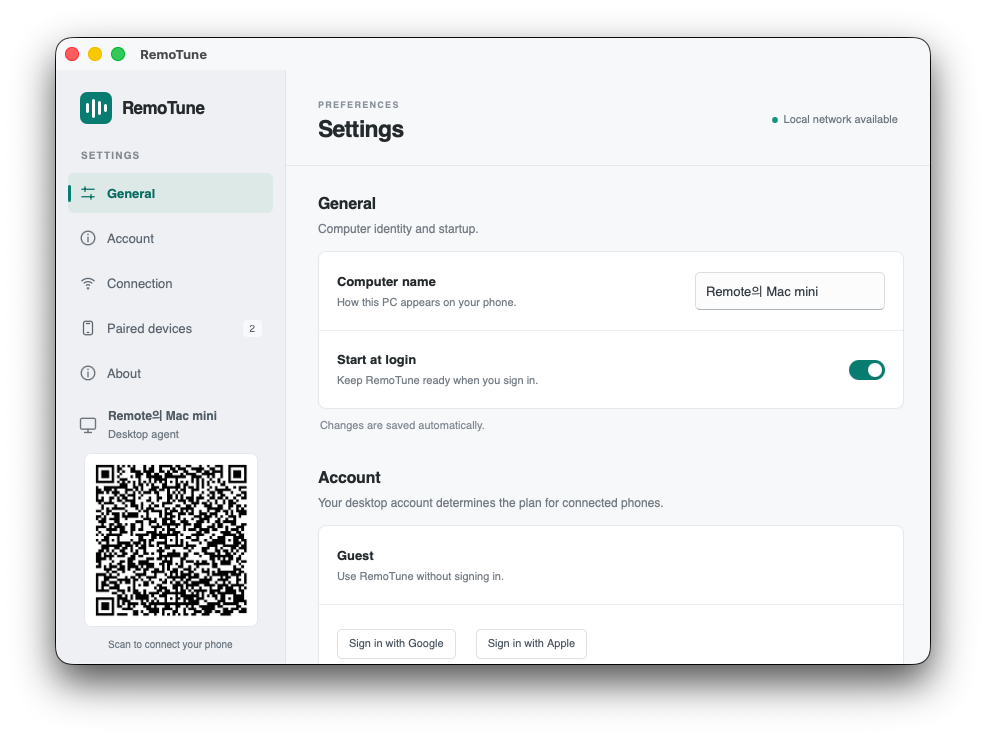
RemoTune settings on Mac. Check the computer name to look for on your phone.
2. Connect your Android phone
Install RemoTune on Android and connect your phone and Mac to the same local network.
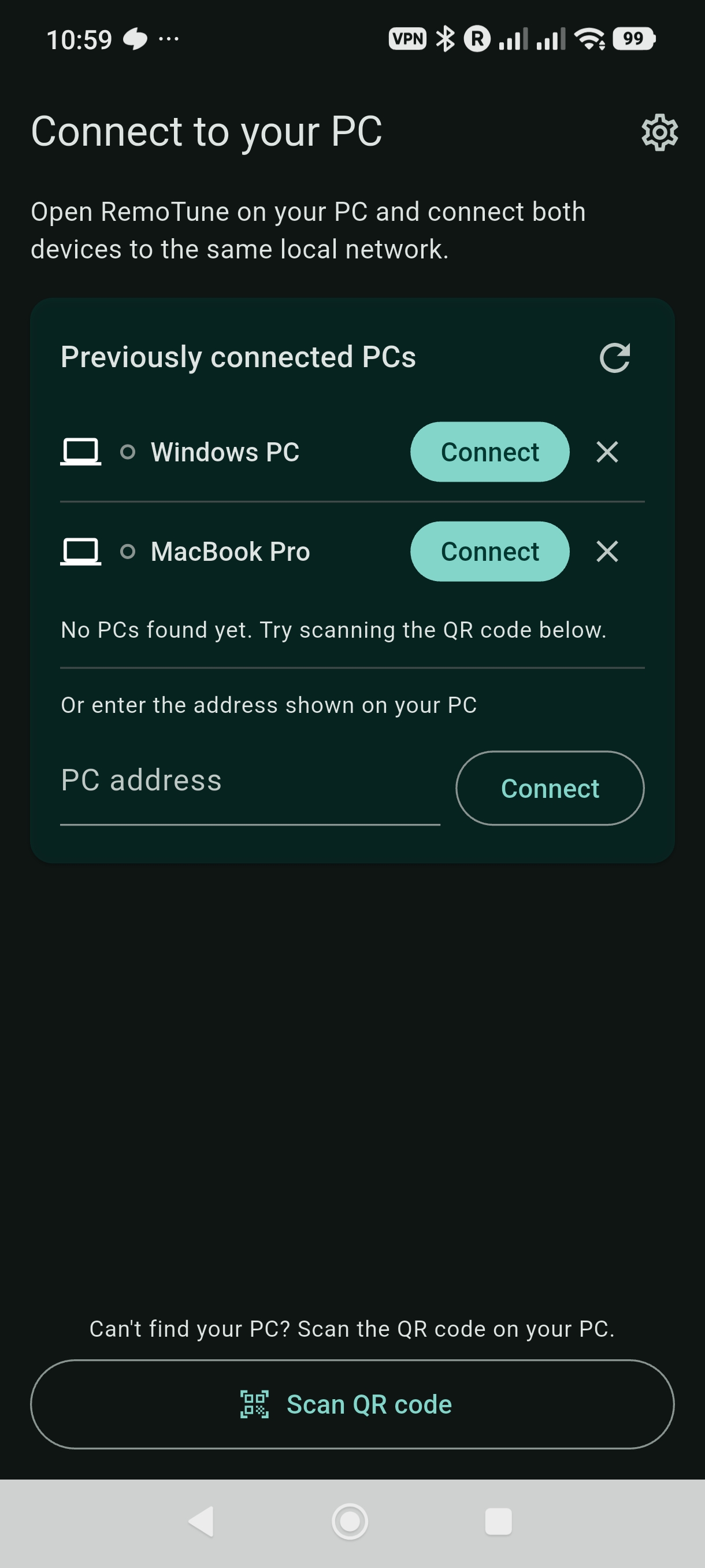
Example Android connection screen showing previously connected computers, address entry, and QR code scanning.
Open RemoTune, select your Mac, and click Allow when the connection request appears on the Mac.
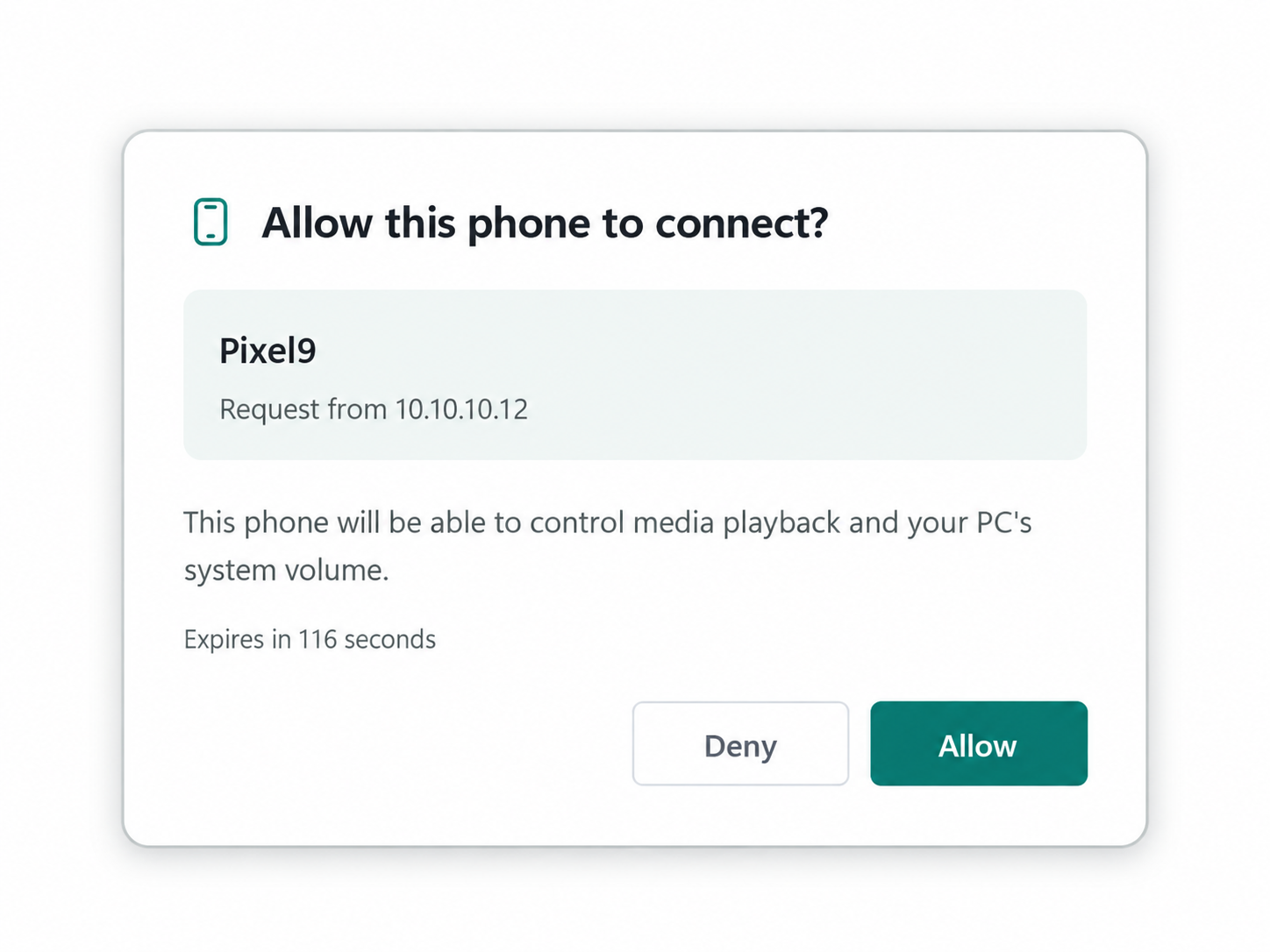
Illustration of the connection approval screen. Check that the request on your Mac is from your phone, then select Allow.
Your Mac can use Ethernet while your Android phone uses Wi-Fi. They just need to be on the same local network.
If your Mac doesn’t appear automatically, you can also connect using a QR code or by entering its address.
3. Play Apple Music
Open the Music app on your Mac and start playing music as usual.
The track title, artist, album artwork, and playback controls appear in RemoTune on your Android phone.
What you can control from Android
- Play / Pause
- Previous / Next
- Seek within the track
- View track title, artist, and album artwork
- Adjust Mac volume and mute
- Control Mac volume with your Android phone’s physical volume buttons
Music keeps playing on your Mac
RemoTune does not stream Apple Music audio to your Android phone.
The music continues playing through your Mac’s speakers or headphones. RemoTune only sends playback and volume commands.
Do they need to be on the same Wi-Fi?
Your Mac and Android phone need to be on the same local network.
The Mac can use Ethernet while the Android phone connects to Wi-Fi through the same router.
Get started
Install RemoTune on your Mac and Android phone, connect them, and play Apple Music as usual.
You can then play, pause, skip tracks, and adjust your Mac’s volume directly from your Android phone.